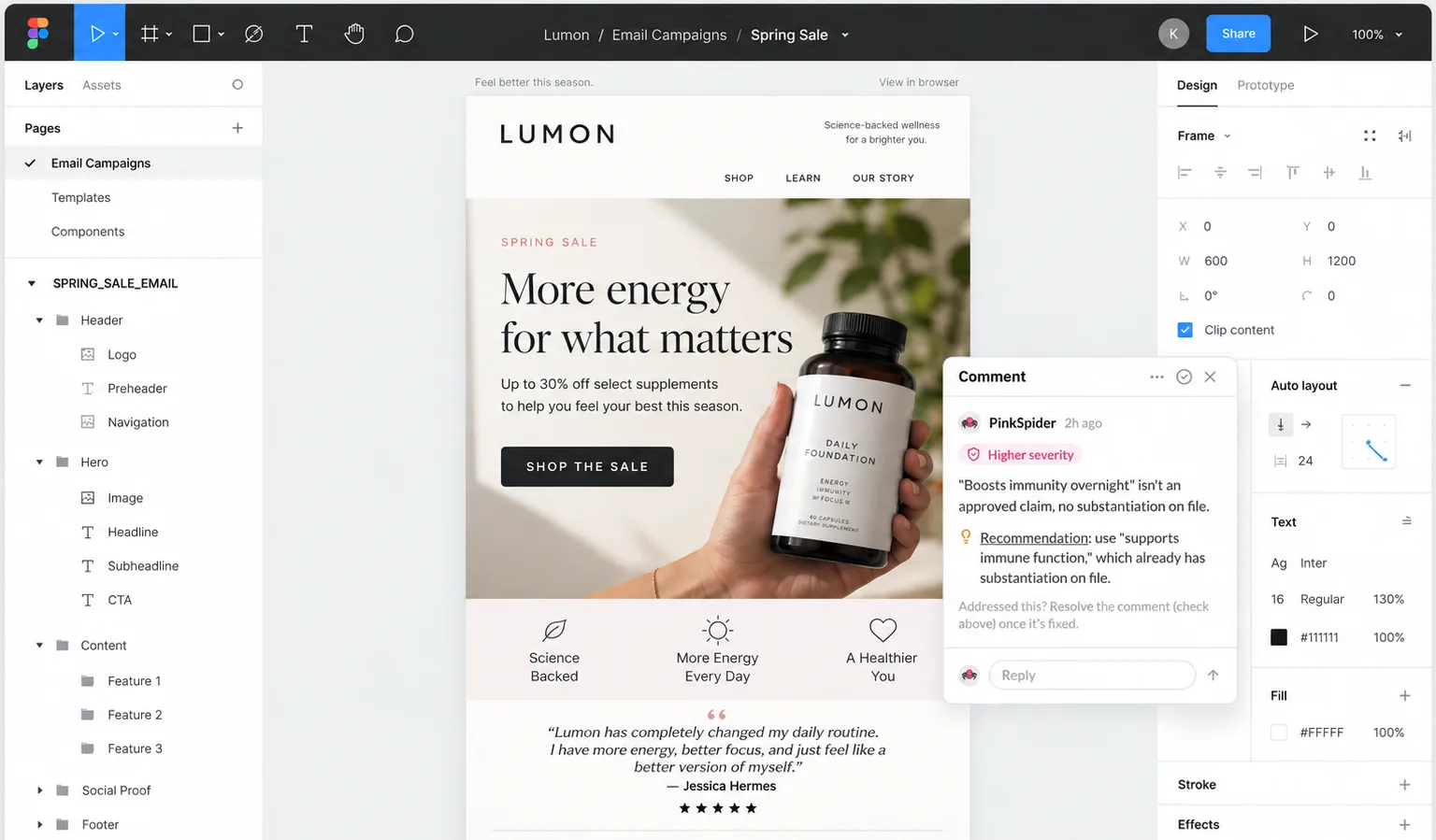
- Reviews a selected frame or an entire page without leaving Figma
- Flags disclosure, claims, and brand guideline issues with inline comments pinned to the exact layer
- Uses the same Compliance Intelligence standard already applied to creator and marketing review
- Available today as part of Marketing Review on paid PinkSpider plans with a connected Figma workspace
Why we built it
Most compliance review happens too late: after a designer hands off a file, after it's dropped into a submission form, sometimes after it's already gone live. By the time an issue is flagged, fixing it means reopening the file, re-exporting, and resubmitting; often after the campaign timeline has already moved on. We built the Figma plugin so a designer can check a frame against the brand's actual compliance standard the moment it's ready, and catch issues before the file ever leaves Figma.
How it works
- Select a frame in Figma and open the PinkSpider plugin panel.
- The plugin exports the frame and sends it into your brand's Marketing Review, the same analysis pipeline used for every other content submission.
- Once the review completes, the plugin shows the overall score, risk level, and top flags directly in the panel.
- Flags are also posted back as pinpointed comments on the exact elements they reference, so context stays attached to the design, not a separate report.
What it catches
The plugin evaluates your frame across the same five dimensions as every Marketing Review:
What each flag includes
Every flag is generated from your brand's own guidelines and knowledge library, not a generic checklist, and always comes back in the same shape.
How urgent it is, from low to critical, so the highest-risk issues get fixed first.
A plain-language description of why it's a problem, tied to your brand's guideline or compliance rule.
A specific suggested change, not just a flag, so a designer can act on it immediately.
Getting started
The plugin is available now as part of Marketing Review, for teams on a paid PinkSpider plan with a connected Figma workspace.
- 1Install "PinkSpider · Marketing Review" from the Figma Community
- 2Sign in with your PinkSpider workspace credentials when prompted
- 3Open the file you want reviewed and select a frame or page
- 4Run "Send to Review" from the plugin panel and read the pinned comments
Where it fits in your workflow
The plugin gives you a first read on a frame while it's still in Figma, it isn't a replacement for your team's full review process. Every plugin review lands in the same Marketing Review dashboard as your other submissions, so reviewers can see the full history, add context, and make the final call before anything ships. Use the plugin to catch obvious issues early; use Marketing Review for the sign-off.